Monthly Archives: March 2010

File Folder labels for Openoffice.org Writer

Designed file folder labels for Openoffice.org  Writer in OpenDocument Format Templates

filing-labels

There are a few types available: Designed Alphabetical, Numerical, Colored Bar and Framed File folder labels for free in Openoffice.org Writer templates. TIP: first print on plain paper and trace of label sheet to make sure everything is aligned.  Folder labels are size: 3.4375″ x 0.667″, 30 labels on 8.5 x 11″ US letter size sheets. (Works with Avery® 5066, 5366 and 8366. Worldlabel # WL-200)

Perhaps you want a blank file folder template (.ott) and here your can follow how to make labels with Openoffice.org


Continue reading

Secrets of the AutoText Tool (Openoffice.org)

The AutoText tool is much more useful than you might think. In fact, it hides a few clever features that can make your word processing more efficient. But let’s start from the very beginning. As you might know, the AutoText tool allows you to insert frequently used text snippets using abbreviations.

BY DMITRI POPOV

Continue reading

Turbocharge OpenOffice.org Writer with AuthorSupportTool


Although OpenOffice.org is a competent productivity suite, you can add some nifty features to it using extensions. There are hundreds of nifty extensions available in the official extension repository. Some of them add a feature or two, while others take OpenOffice.org to a whole new level. The AuthorSupportTool (AST) extension  belongs to the latter category. AST not just adds some random features to OpenOffice.org Writer, it dramatically enhances the word processor’s functionality, turning it into a powerful tool for working on research papers and complex documents.

By Dmitri Popov

Continue reading

Get started with Blender

by Nathan Willis

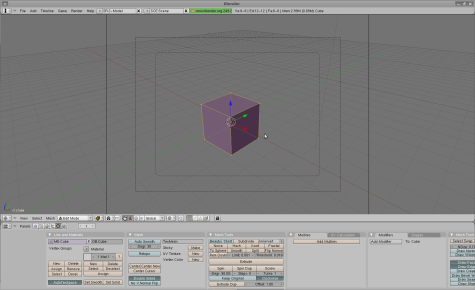
The open source 3-D modeler Blender can perform so many different jobs that it can get a little intimidating. In addition to designing three-dimensional objects, Blender can handle rigging, character animation, kinematics, video editing, video game design, and in fact almost the entire tool chain required to produce a 3-D movie. Fortunately, if you have more modest goals in mind — say, simply creating a 3-D logo, Blender can do the job without forcing you through the entire learning curve … if you know where to look for help.

“The Blender user interface; even at start-up it can be intimidating to the new user, so it is helpful to run through a tutorial just to familiarize yourself with the tools.”

Continue reading