Joy at Creativemamma.com loves to paint and doodle! Here she is using our Worldlabel WL-150 labels for some very cute Kawaii book labels for kids:

Download the template in fillable PDF for free here

Joy at Creativemamma.com loves to paint and doodle! Here she is using our Worldlabel WL-150 labels for some very cute Kawaii book labels for kids:
Download the template in fillable PDF for free here
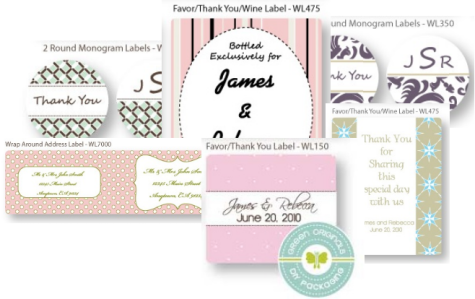
Thinking about wedding labels? Having trouble coming up with ideas? Worry no more! We’re offering wonderful free fillable Wedding labels in PDF label templates for U.S. letter-size label sheets designed by Green Originals. Wedding Wrap around address label, Favor/thank you label card, 2 round monogram labels and another thank you label. The favor/thank sizes are universal and can be used as a wine label, card, as a label for tins for candy, candles, gifts and more…
When Firefox 3.6 was released on January 21, nestled in alongside all of its other new features was support for a new font specification, the Web Open Font Format (WOFF). WOFF is designed to better meet the needs of Web designers as they build sites with typography that outshines what is provided by the same old “Web safe” faces (Helvetica, Arial, Time New Roman, and the like). While CSS3 can link-in fonts in any format, WOFF fonts save considerable space — and thus bandwidth — compared to TrueType and OpenType.
Blushprintables offers some great freebies for downloading every Friday. This week they using our Round Label WL-350 (2.5″) for favor tags or envelope seals on thank you cards.
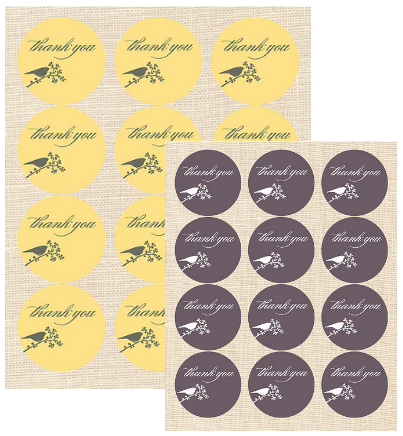
Please head over to BlushPrintables and download your free Envelope Seal and Favor tag.

Despite the fact that open source has specialty label-and-business-card programs like gLabels and capable desktop publishing apps like Scribus, most general office users are going to continue to create their documents in the word processor of the office suite they feel the most comfortable in, like OpenOffice.org Writer. It is certainly a good choice, too; it provides design wizards that simplify creating print-ready documents for standard label templates, and OpenOffice’s mail merge backend is quite powerful.
by Nathan Willis
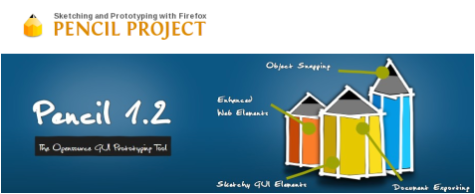
User interface prototyping is supposed to be a creative discipline, where the tools don’t get in the way, so you can place your ideas on the screen just like you would draw them freehand on the back of a napkin. Up until recently, however, there was not a high quality open source UI prototyper, so designers were left with the less-than-optimal workflow of creating mockups in Inkscape or the Gimp, or else forced to use proprietary web applications that limited storage or added watermarks. Those days are in the past, though, thanks to Pencil.
By Nathan Willis Continue reading
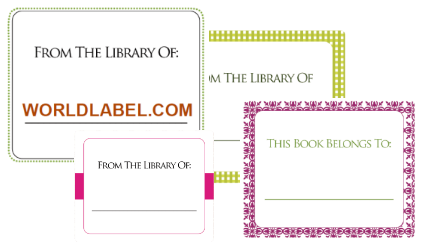
Free BookPlate Labels in fillable PDF label templates are printable on your laser and inkjet printer. Each book label design is an autofilll, which allows you to place your info in one label cell, hit tab and the complete template will populate with that info. These templates make your book labeling so much easier.
Use Worldlabel.com Product number WL-150 (Shipping labels, same size as Avery® 5164) to print.

In the previous post in this series, we looked at the basic design tools used to create labels and business cards with gLabels: the drawing tools, text tools, how they compare to raster- or vector-graphics editors, and the object manipulation tools. We also covered how to print your creations, and what formatting options gLabels provides to make life easier. Chances are, though, that at some point you will need to take advantage of some of gLabels’ more advanced features, such as the ability to do “mail merge” printing, to incorporate readable barcodes, or to edit label templates of your own.
by Nathan Willis
Following is an excellent two part series on gLabels by Nathan Willis: Getting started with gLabels and Advanced usage with gLabels.
Labels and Cards with gLabels (Part One)
In the world of label creation software for Linux, gLabels is the long-standing market leader. It offers a convenient graphical interface in which you can design labels with the same tools you are used to finding in image editing software, but it also supports business-friendly advanced features like “mail merge” and barcode generation. In addition to that, its focus on label creation offers some advantages in printing over general office or graphics alternatives, like simple control over printing partial sheets.
You can download source code for gLabels from its SourceForge project page, but most Linux distributions include it in their package management systems — the gLabels site maintains a list of such distros on the download page. gLabels uses GTK and is designed to work with the GNOME desktop environment, but it runs just as well under KDE.
Printing laser sheet labels for the first time can be a daunting task or it can be so easy!!! Just fill out a template formated for labels in sheets with your information – just print, peel the labels and then apply them. But things can be difficult at first from formating a template, to choosing the right material or not knowing that the printer is causing the print quality problems. These are amonst some of the issues you can face.