Archive for the ‘How-To’ Category

January 29th, 2009

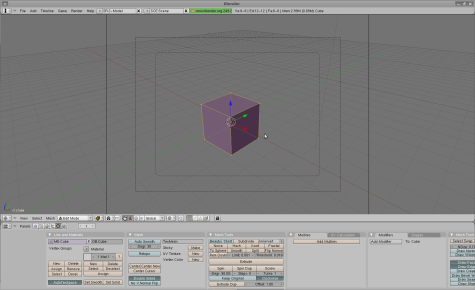
How to use PDF Templates for Labels & Business Cards in Adobe InDesign (CS1-4)

The following article will help you use our PDF Label Templates in Adobe InDesign (CS1-4). The author, Anne-Marie Concepción, is Chicago’s top source for cross-media publication design and authorized Adobe InDesign, Photoshop, Illustrator, Acrobat and Quark training.

January 20th, 2009

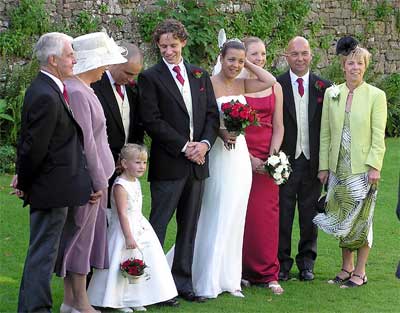
Five Label-Smart Wedding Ideas

We wondered how many of our readers got engaged over the holidays? We know of at least two engagements (congrats to Jill and David and to Marilyn and Steve!), so we thought we’d provide them – and you – with a few pre-wedding tips on how to use labels to save money and headaches as you plan for the big day.

January 14th, 2009

Mail Merges in OpenOffice.org In-depth

Mail merge provides business owners, organizational leaders and even families a way to communicate easily and effectively with clients, members and friends. Mail merge allows users to personalize letters so that mass communication becomes more personal and yet efficient. Mail merge also is an efficient way to organize mailing lists for mailing labels. But, how [...]

December 1st, 2008

Save Time and Money Using Free Printable Business Cards with WorldLabel Cardstock

When you need business cards right away, there’s no time to mess around with companies that charge big bucks and take weeks to print and ship. One solution is to keep high-quality, formatted business card cardstock on hand when you need to print cards for employees, temporary contractors, title changes and other situations.

November 30th, 2008

Free ‘Cool Tools’ for Designing Labels On Your PC

Want to choose just the right color for your labels? Design a logo on the fly? How about simply making the corners of your images round so they look great with round-edged labels? There’s no need to spend money and time on a complex graphic design program when there are so many free tools available to make label design a snap.

November 20th, 2008

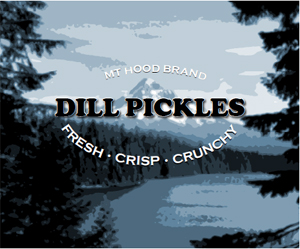
Need Canning Labels?

It’s that time of year when the harvest is done and the first frosts are scheduled to arrive. You have plenty of tomatoes and other vegetables that you’d like to can and preserve for winter food supplies. While you might recognize a jar’s ingredients because of that container’s transparency, not everyone will be as familiar with the ingredients of that jar. And, unless you label a can, there’s little anyone can do – including you – to help identify the contents. What can you do to eliminate that problem?

August 25th, 2008

Quick and Easy Artwork

In this short tutorial, you’ll learn how to create a quick-and-easy label using just some of the many tools within the Label Designer 5. To follow along, you’ll need to download the Label Designer. Or, if you’re skeptical, you can follow along and decide to download later.

August 20th, 2008

Five New Tricks for Business Cards

A business card functions as an image of the company it represents. Such an image has potential massive staying power, since a single card can be retained for future reference, placed in a Rolodex, placed on a bulletin board, refrigerator, or under glass on a desk. Business cards are mobile, traveling in wallets and briefcases, and passed along to friends and colleagues of a prospect. Many eyes will likely fall upon each business card you distribute. Consider rethinking your business card by employing the following five attributes: clarity, multi-purpose, positive, eye-catching, and memorable.