Category Archives: Labels & Printing

View all posts listed under Labels & Printing.

Getting started with gLabels: Labels & Cards GNU/Linux

Following is an excellent two part series on gLabels by Nathan Willis:  Getting started with gLabels and Advanced usage with gLabels.

Labels and Cards with gLabels (Part One)

In the world of label creation software for Linux, gLabels is the long-standing market leader. It offers a convenient graphical interface in which you can design labels with the same tools you are used to finding in image editing software, but it also supports business-friendly advanced features like “mail merge” and barcode generation. In addition to that, its focus on label creation offers some advantages in printing over general office or graphics alternatives, like simple control over printing partial sheets.

You can download source code for gLabels from its SourceForge project page, but most Linux distributions include it in their package management systems — the gLabels site maintains a list of such distros on the download page. gLabels uses GTK and is designed to work with the GNOME desktop environment, but it runs just as well under KDE.
Continue reading

Laser sheet labels DIY printing @office & @home

laser sheet labels

Printing laser sheet labels for the first time can be a daunting task or it can be so easy!!! Just fill out a template formated for labels in sheets with your information – just print, peel the labels and then apply them. But things can be difficult at first from formating a template, to choosing the right material or not knowing that the printer is causing the print quality problems. These are amonst some of the issues you can face.

Continue reading

Periodic table of the open source graphics and design apps

Are you ever overwhelmed by the sheer numbers of open source software projects produced by the community? Even when looking at just a subset — such as graphics applications — if you are not already familiar with the options, the volume can make it hard to track down the application that fits your needs. The major categories tend to break down the same way, however — just a few major players; the large projects often catering to slightly different design goals, and a second set of smaller projects each of which has a smaller team and a more narrow focus.

Let’s examine each design field in turn. We’ll start by describing the leading program or programs in each, followed by the smaller or younger projects, and end with the special-purpose tools.

by Nathan Willis  Continue reading

Moving & storage Labels: free complete template kit

Are you moving soon and need help with organizing all your cartons and boxes? Do you need printable moving or storage labels to help you to identify all your valuables? Or, maybe you need to keep everything in storage for a while and — in this case — you really do have to have everything labeled. No worries!  We’re offering a free fillable Moving Label Kit for you to download. It is a PDF  template and the printable labels are in US letter size sheets.

Included in the Moving Label Kit: master list, fragile labels, this side up labels, customize tags for each room, To and From, beware glass, shipping label size and more……..

Label sizes to use:

Continue reading

Label Template: always a need

Label template: it is just something you will need sooner or later. There are so many reasons why you might need one, it is too long to list. Worldlabel offers a complete collection of  templates for labels, yes almost every label size available can be downloaded  to help you create and print labels. If you using MS Word or Openoffice.org we have a template for you.  If you using a graphic design program, our  PDF templates can be used as a guildline layer.

“Autofill PDF label Template”

Need a label template for Openoffice.org 

Try our PDF Autofill Labels for formating your basic text labels in an instant.

Our CD Label Templates allways come in handy.

Waterproof labels for your products DIY

Do you need waterproof labels / weather-resistant labels for your products? How about for use on that  water bottle for the company party or even on your beach gear or your bath, food or other outdoor products? With Worldlabel’s waterproof labels, you can use your laser or inkjet printer to make these labels yourself.

Worldlabel’s waterproof  labels for laser printers only use a 60-lb. bright white face sheet with a 50-lb. liner made from a vinyl material. Our white waterproof label sheet for inkjet printing is 50-lb. bright white vinyl face sheet with a 50-lb. liner. These materials make the label sturdy and provide the durability to last longer in outdoor applications where water and a wide range of temperatures might damage a regular label. Additionally, the adhesive is a high quality acrylic permanent adhesive that holds up under extreme weather conditions.

Continue reading

Become a typeface pro with Fontmatrix

Fontmatrix is a free/libre font explorer for Linux, Windows and Mac

Casual computer users often give little thought to fonts, but once you starting working on design — from your web site to your stationary needs, you soon begin to appreciate the positive effects a good typeface can have on branding and marketing. The trouble comes when you start to collect more fonts on your system than you can keep track of in your head. Worse yet, most operating systems attempt to manage fonts for you in an all-or-nothing fashion, through which large collections can slow down application speed, in addition to being tiresome to scroll through. The solution is a good font manager, like the open source Fontmatrix.

by Nathan Willis

Continue reading

How to Eliminate Blots From My Inkjet Prints?


We have covered how to clean a beyond-filthy printer here. The databazaar blog has a informative post on eliminating ink blots when using your Inkjet printer.  Dont forget, reducing the DPI settings in the printer properties can increase the quailty of your print when using inkjet printers!

Ink in ballpoint pens and inkjet printer cartridges share a common trait — they’re designed to dry quickly. Fast-drying ink works well when the ink dries on paper, but not so well if the ink dries on the printhead that dispenses it. When ink dries on a ball point of a pen, the ball no longer rolls smoothly on paper to evenly distribute ink, which creates blots of ink on a page. The same is true for inkjet printers when ink dries on the printhead — blots of ink appear on a printed page.

Continue reading

Full sheet labels for all labeling uses

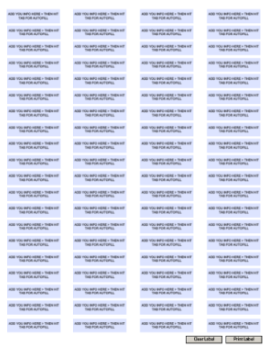
Full sheet labels  (blank one shown above) are one of the best selling size labels. The whole sheet is one label. For USA customers it is letter size 8.5″ x 11″ (similar to ISO size a4). Surprise! It has so many uses, the possibilities are endless. The full sheet label consists of three parts: the face stock which can be made out of several different materials; the adhesive which is coated to the facestock, and; the liner, which is peeled off from the facestock, then you can apply the label sheet to almost any surface. Continue reading