
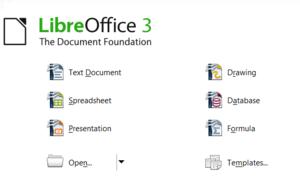

Want to install the new LibreOffice on Ubuntu or a Debian-based distribution? Although the Document Foundation doesn’t yet offer .deb binaries for these distros, you can use the provided .rpm packages to install LibreOffice on a machine running Ubuntu or Debian. To do this, you need to convert .rpm packages to .deb using the alien tool. To install alien on Ubuntu, run the sudo apt-get install alien command. Grab then the latest release of LibreOffice from the project’s Web site, unpack the downloaded .tar.gz archive, rename the resulting directory to libreoffice, and move it into your home directory. Launch the terminal, and switch to the RPMS directory and use alien to convert all .rpm packages in the directory:
cd libreoffice/RPMS/
sudo alien -k *.rpm
Install then the resulting .deb packages using the following command:
sudo dpkg -i *.deb
This installs the productivity suite, but it doesn’t provide any desktop integration. Fortunately, this problem is easy to fix. Switch to the desktop-integration directory and convert the libreoffice3.3-freedesktop-menus-3.3-9526.noarch.rpm package:
cd desktop-integration/
alien -k libreoffice3.3-freedesktop-menus-3.3-9526.noarch.rpm
Install then the converted package using the sudo dpkg -i libreoffice3.3-freedesktop-menus_3.3-9526_all.deb command. This adds LibreOffice menu entries to the Applications | Office menu and integrates LibreOffice with your desktop.
By Dmitri Popov
here are the debs:
http://download.documentfoundation.org/libreoffice/testing/
Now what remains is for Libreoffice to be added to a repository or PPA.
Pingback: Install LibreOffice on Ubuntu and Debian-based Distros | Ubuntu-News - Your one stop for news about Ubuntu
Pingback: LibreOffice: installazione – Altertux-blog
Pingback: Open News | Ubuntu nākamajās versijās tiks iekļauts LibreOffice
Pingback: Install LibreOffice on Ubuntu and Debian-based Distros « The BAT Channel
Hahahahah! For once rpms win! I always see everyone on the internet slogging off rpm and, for once, they are the format of choice!
Wait a second. Does LibreOffice really do ANYTHING better than OpenOffice, yet?
Seems a bit fanatic to run out and get the new “LibreOffice”, when it’s probably mostly yet a grep/sed the name over the sourcecode, and change some graphics and icons?
Good way to get into trouble.
@ulrik
LibreOffice is tagged as beta and on the website they stress that it should not be used in a production environment. And you are correct when you state “Good way to get into trouble.”
It’s just for testing.
I’ve already installed Libre from the debs available at http://download.documentfoundation.org/libreoffice/testing/
Both 32 and 64 bits are available.
The features seems very similar to OOo 3.3 beta but with a new logo, promises and future…
Pingback: djere.com
This actually is working rather well for the document creation/editing that I need to do. I’m using it just fine.
Pingback: 在Ubuntu或Debian上安装LibreOffice | adamatrix
Pingback: 在Ubuntu或Debian上安装LibreOffice | adamatrix
It will take LibreOffice some doing to compete with OpenOffice. It will have to offer something new, something better. I will hold off switching to LibreOffice until I see that happening.
Best of luck to the LibreOffice folks.
Pingback: LibreOffice: come installare « linuxforce
On the contrary, I don’t think it will take much at all to compete with OpenOffice.org.
The fact of the matter is people like free source, and Oracle has ruined that. They haven’t done a thing with their newly acquired office suite.
In addition there are many patches which have been contributed which neither Sun nor Oracle has added into the main repo, while LibreOffice.org has. So off the bat they’re competing.
And let’s not also forget the fact that many of the major contributors to OpenOffice.org have moved from OOo to LibreOffice. It’s looking like a shutdown effect for Oracle’s OOo- Ubuntu has already pledged support for LibreOffice over OOo.
Pingback: libreoffice « map freely
Thanks for clear instructions to install libreoffice on ubuntu/debian.
Slowly libreoffice may replace openoffice for fear of oracle freezing the freedom of “open”.
More people need to join “the document foundation” for contributing and improving further this office suit.
I get error :incorrect format:unknown tag
Pingback: Ubuntu nākamajās versijās tiks iekļauta LibreOffice biroja programmatūra | Ziņas no medijiem
The download from the LibreOffice is now the deb binaries, and some of the file names have been changed, but the general process is still the same, minus needing to install alien, of course.
I installed Libreoffice and I am using it but it is slower that OpenOffice.
The works in this post is great. wish to know more about its working processes. Thanks for the wonderful post…..