Category Archives: Labels & Printing

View all posts listed under Labels & Printing.

Labels help the Elderly

You may have people in your life who have reached their golden years. As loved ones age, they may experience more difficulty in processing certain information. Impairments in information processing run the gamut from difficulty associating names with faces to moving new facts from short-term to long-term memory.

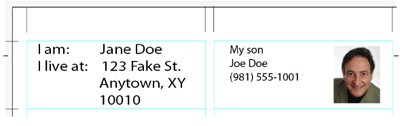
The power of the label can help the elderly make their lives easier. By simply printing labels with general information and placing them around the home, those who have trouble recalling certain things will find the information literally in front of their faces.
Labels for the Elderly

Continue reading

Worldlabel and Colour Lovers Provide Free Labels (Update)

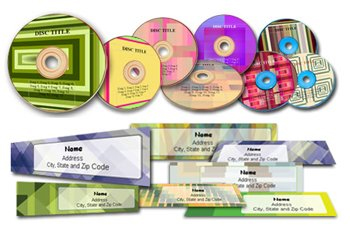
We love open source, so any project that provides users with the ability to use open source products really rocks our world. This time, we’ve teamed up with ColourLovers.com (Color Lovers) to create some wild labels that will catch anyone’s attention! The colors chosen for each CD and address label are ones that are supplied by various palettes cataloged at Color Lovers.

To view the templates, use any of the following office suites to open the files: OpenOffice.org, Koffice, StarOffice, IBM Lotus Symphony, or any other office suite supporting the OpenDocument format. For Microsoft Office users, an ODF plugin is required and can be downloaded for free Sun ODF plugin for MS Office.

Continue reading

Create Your Own Wine Labels

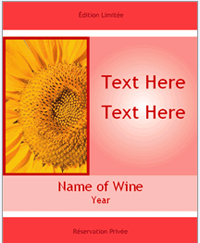
If you’re into making wine as gifts for the holiday season (or for sale), then you can create your own wine labels for your wine bottles with blank printable labels on laser and inkjet sheets. Worldlabel has over 50 label sizes for you to choose from, including downloading a label template for each size in Word or Adobe. Our WL-Ol450 and WL-Ol550 labels are the most common size labels used for wine bottle labeling.
Once you visit those links above, you’ll discover that we supply our blank labels over 30 different materials including clear and glossy materials. If you do not see the size you need by using our “visual search for labels” or through our bottle labels page, please let us know. We can supply you with a custom size and also have the capability to design, create and print wine labels for you.
Continue reading

Save Time and Money Using Free Printable Business Cards with WorldLabel Cardstock

Card StockWhen you need business cards right away, there’s no time to mess around with companies that charge big bucks and take weeks to print and ship. One solution is to keep high-quality, formatted business card cardstock on hand when you need to print cards for employees, temporary contractors, title changes and other situations.
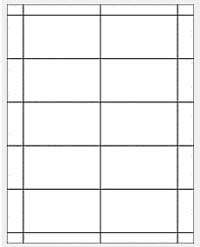
WorldLabel has a PDF template designed to work with its business card cardstock. The template is compatible with most graphics programs, but you can also simply forgo the template, load the heavyweight cardstock sheets into your printer, and print out pre-designed business cards you can find for free online. A few seconds later you’ll have new 3.5-inch by 2-inch business cards in your hand, 10 to a sheet, finely perforated and ready to separate and distribute.

Continue reading

Free ‘Cool Tools’ for Designing Labels On Your PC

Want to choose just the right color for your labels? Design a logo on the fly? How about simply making the corners of your images round so they look great with round-edged labels? There’s no need to spend money and time on a complex graphic design program when there are so many free tools available to make label design a snap.

In this post, I’ll stick to the many cool tools to choose from if you’re using a Windows-compatible PC. Stay tuned for future posts about Mac and Linux-compatible tools.

Continue reading

Need Canning Labels?

It’s that time of year when the harvest is done and the first frosts are scheduled to arrive. You have plenty of tomatoes and other vegetables that you’d like to can and preserve for winter food supplies. While you might recognize a jar’s ingredients because of that container’s transparency, not everyone will be as familiar with the ingredients of that jar. And, unless you label a can, there’s little anyone can do – including you – to help identify the contents. What can you do to eliminate that problem?

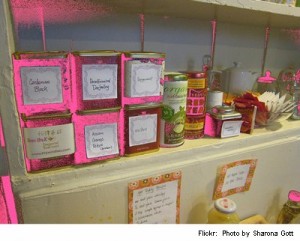
Personal supplies or gifts of vegetables, sauces, soups or jellies that you grew and canned yourself can be dressed up with personalized canning labels. A generic label that you design can be printed out and filled in by hand. If you decide to make a large batch of jam or other foodstuff, you can create pages of a specialized label to identify that container.

Designing your own canning labels is as easy as pie, but only if you know how to create those labels. If you design and print your own canning labels, you can save a ton of money as well. Here’s now to do it:

Continue reading

gLabels – EZ label creator for Linux

glabels

There are times when all you want or need is something to just work and get the job done quickly and efficiently without frills or fuss. You probably don’t want to fire up Inkscape or Adobe Illustrator to create just a few labels. You want legibility, and maybe some zip, but edgy for your file labels is probably not what you had in mind when you contemplated cleaning up your file folders.

Continue reading

Quick and Easy Artwork

Have you searched for an inexpensive way to create artistic labels? Worldlabel.com has a nifty little tool – the Label Designer 5 – that you can download and use free for fifteen (15) days. This is just enough time to design that wine label, make stickers for a mass mailing, or to create patches for that missing bar code. The possibilities are endless, and if you decide to keep the Label Designer, the price won’t burn a hole in your budget. In this short tutorial, you’ll learn how to create a quick-and-easy label using just some of the many tools within the Label Designer 5. To follow along, you’ll need to download the Label Designer. Or, if you’re skeptical, you can follow along and decide to download later.

Continue reading